
Minara Workflow 2.0: From Workflow Generation to Workflow Copilot
Why Agentic Workflows Matter in Digital Finance
Agentic workflows are becoming one of the most practical ways AI is applied to real-world tasks. Instead of producing a single output, these systems can monitor, reason, and act over time. Pretty cool, right?
That matters even more in digital finance, from crypto and tokenized assets to traditional financial markets. Many tasks in this space are continuous, condition-driven, and closely tied to execution. A workflow may need to track token or stock prices, monitor wallet activity, run scheduled analysis, send alerts, or trigger actions when conditions change.
In a setting like this, automation alone is not enough. Workflows need to be reliable in execution, transparent in logic, and easy to adapt as strategies evolve. Otherwise, weak visibility or fragile behavior can lead to delayed information, missed opportunities, or real financial risk. They also need to be accessible. Powerful workflows should not be limited to users with technical expertise or prior experience building automation systems.
So the real challenge is not just how to generate agentic workflows, but how to help users build workflows they can actually understand, maintain, and trust over time.
That is the problem space that Minara Workflow 2.0 was designed for.
What Minara Workflow 1.0 Made Possible
Five months ago, we introduced Minara Workflow 1.0. It marked an early step toward making digital finance workflows far more accessible, allowing users to create and run them directly from the Minara chat. What once required manual setup and technical experience could now begin with a prompt.
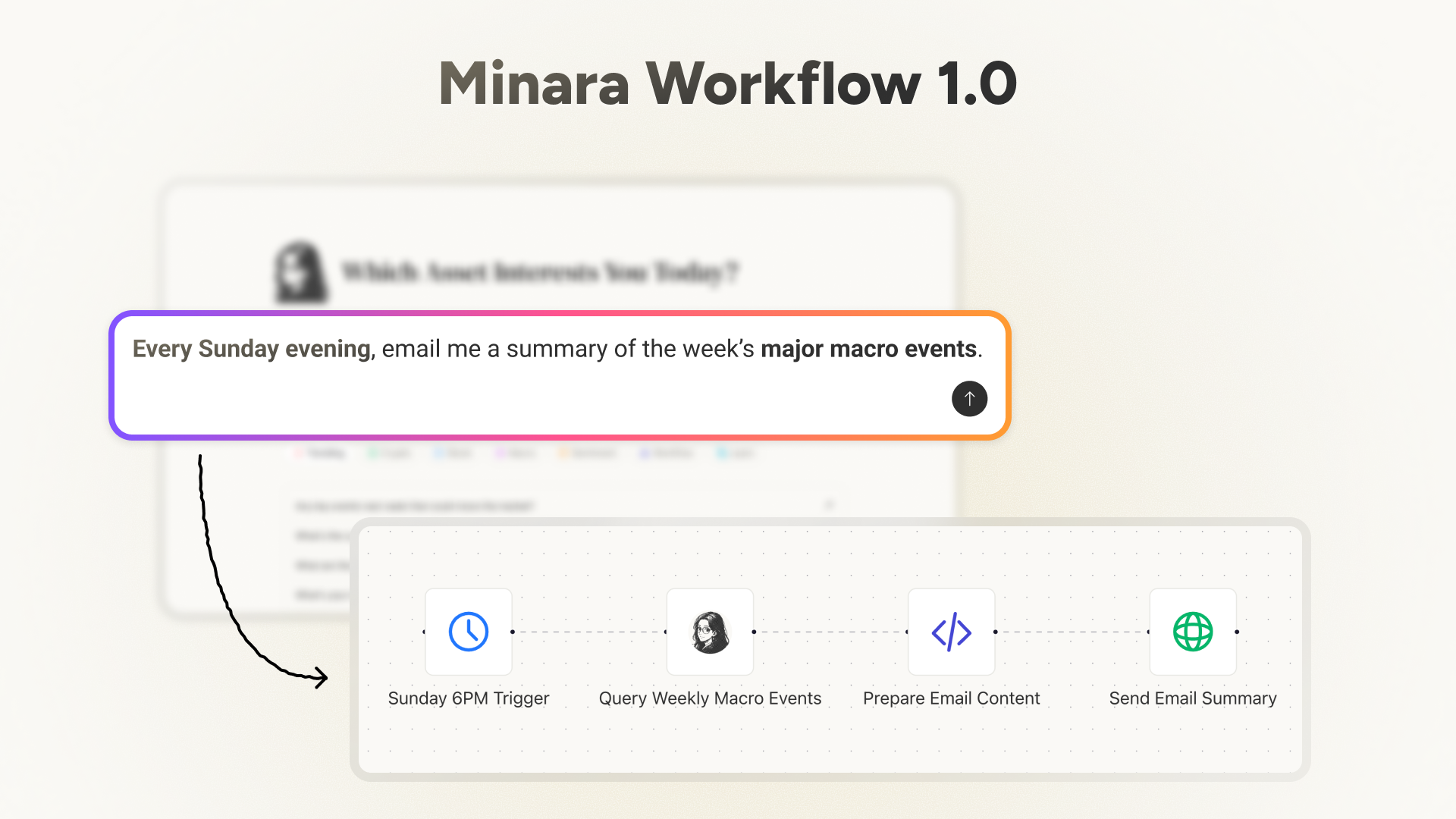
These workflows could handle common digital finance tasks such as monitoring market signals, delivering scheduled Minara research, and triggering on-chain actions. Also, trading strategies like copy trading and buy-the-dip became much easier to build.
This workflow layer was built on top of Minara’s broader intelligence and execution stack, including domain-specific DMind models, 60+ data sources, financial research and analysis frameworks, and on-chain execution infrastructure. Workflow was the layer that turned those capabilities into something persistent and operable over time.
Under the hood, Workflow 1.0 used a node-based engine built on n8n, but users did not need to understand the engine or write code. Minara generated the workflow from a prompt and made the logic visible afterward.
This experience was supported by structured verification during workflow creation and deployment, along with regular internal reviews of supported nodes to improve reliability and execution accuracy.
Over the past few months, users have run hundreds of thousands of workflows through the system, giving us both strong validation of user demand and a large body of product feedback.
When Workflow Generation Was No Longer Enough
But digital finance moves quickly, and so do user expectations. As Minara’s workflows entered real use in various scenarios, users began to want more than workflow generation alone. They wanted workflows that could be refined, inspected, and adapted to their own needs:
Some wanted to fine-tune an existing workflow for a new use case. Others wanted to understand a workflow’s internal structure, inspect individual nodes, troubleshoot why it behaved differently from what they expected, and iterate on it.
That made the next challenge clear: once agentic workflows are used in practice, they need to be understandable, controllable, and easy to iterate on.
Introducing Minara Workflow 2.0
Workflow 2.0 is our answer to the next stage.
It rethinks how AI is used to develop digital finance workflows. Workflow 1.0 made it possible to generate and deploy a digital finance workflow from a single prompt.
With Workflow 2.0, we wanted to go further: to give users a better way to build and manage workflows themselves, while letting Minara agent actively assist throughout the process. The result is a workflow system that is more transparent, easier to understand, easier to manage, and easier to extend over time.
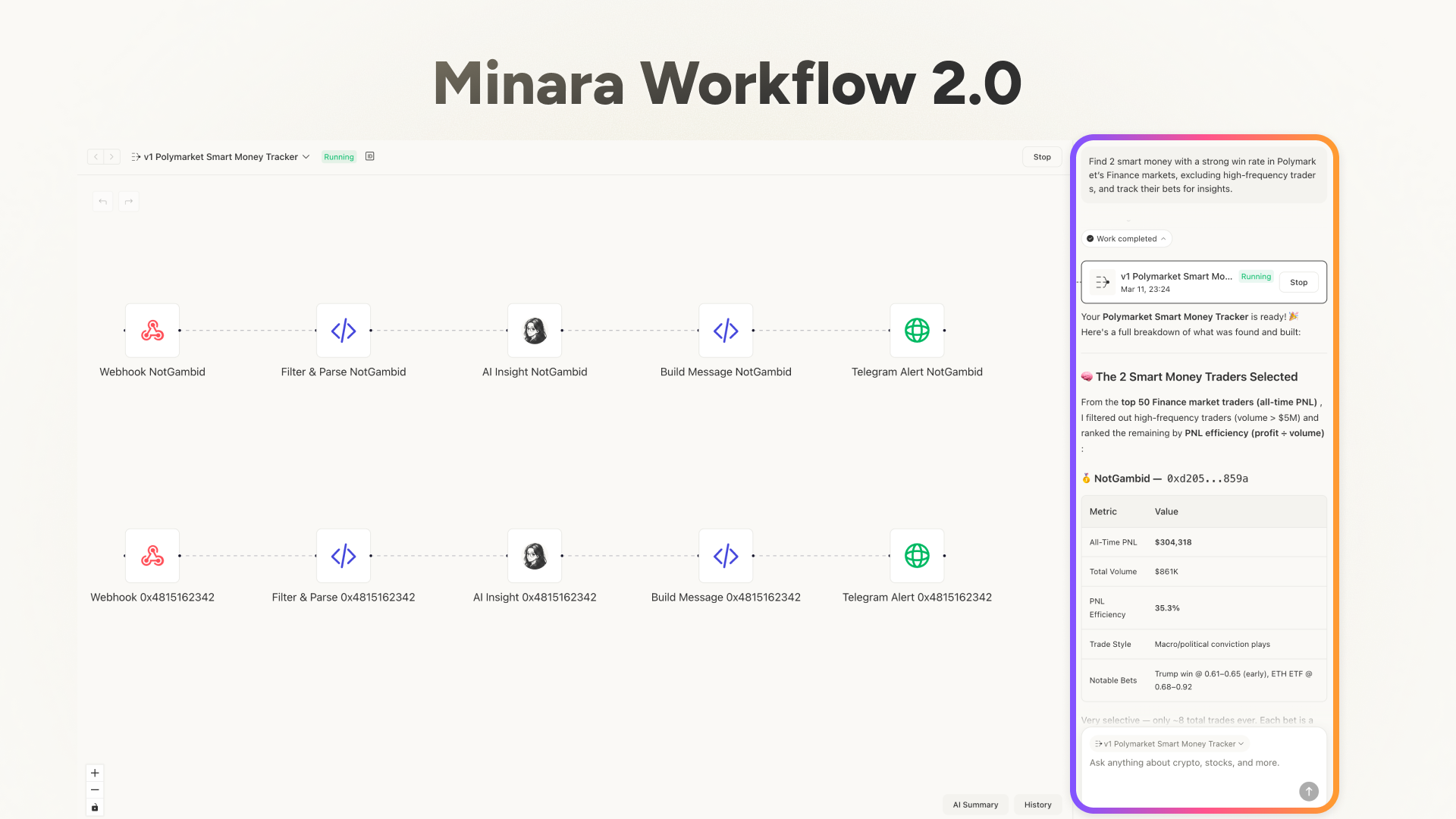
The Minara agent now acts as an active workflow copilot. It helps users inspect, refine, and manage what they build, instead of stopping at one-time generation.
Similar to how Cursor changed the coding experience, Workflow 2.0 is designed to make financial workflow creation and maintenance far more fluid and reliable.This shift comes through in three major upgrades:
- AI-assisted workflow development with Minara agent
- A more interactive and editable canvas
- A stronger lifecycle around versioning, execution history, and debugging
Minara Agent as a Workflow Copilot
The first major change in Workflow 2.0 is the role of the Minara agent itself. It becomes a copilot that can collaborate with users around the workflow as it evolves.
Users can inspect what has already been built, ask follow-up questions about how a workflow works, modify a specific part of the logic, or ask Minara to generate a new version based on a targeted change.
Workflow 2.0 is designed for exactly this kind of interaction. The Minara agent can understand the current state of a workflow, take selected nodes or canvas regions as context, and apply changes in a way that fits the existing structure. Instead of restarting from scratch each time, users can work iteratively with AI on top of what already exists.
In that sense, workflow development becomes much more collaborative and iterative.
From Diagram to Workspace
Second, the canvas is no longer just a workflow diagram. It becomes an active workspace.
In Workflow 1.0, the canvas mainly helped users see the structure of a workflow after it had been generated. It made logic visible, but it was still largely static.
Workflow 2.0 turns the canvas into a structured surface for human-AI collaboration. Users can inspect node details and configurations, make direct edits to supported nodes, and select specific parts of a workflow to pass that local context into the AI copilot.
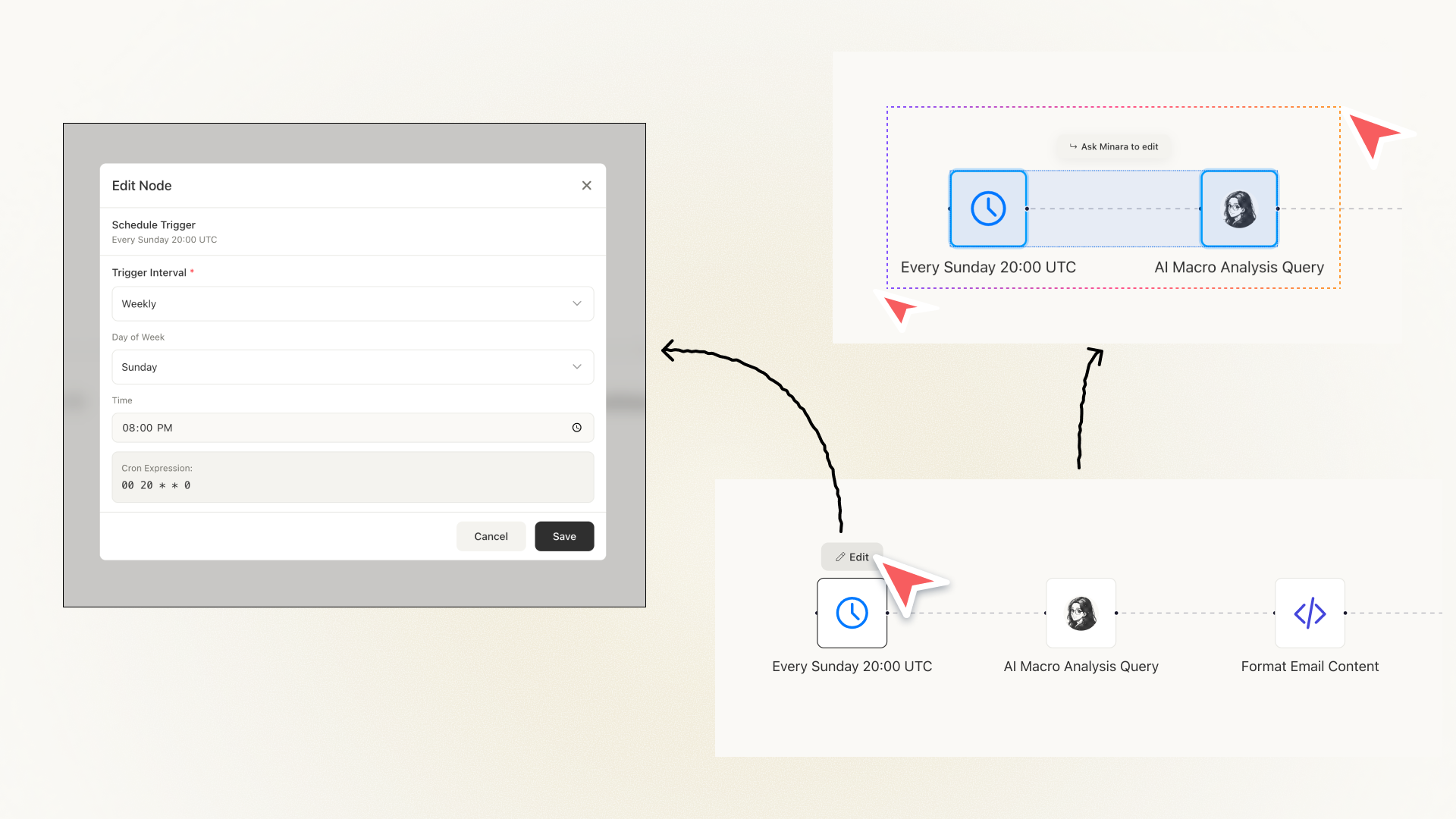
That makes workflow editing much more precise. It feels closer to selecting part of a codebase and asking an AI editor to work on that local context, except here the object is a workflow graph rather than code.
In Workflow 2.0, the canvas is where automation gets inspected, shaped, and refined.
A Stronger Workflow Lifecycle
The third major upgrade in Workflow 2.0 is the workflow lifecycle.
A workflow that users rely on over time cannot remain a one-time output. Like software, it needs versioning, visibility, and a clearer path for maintenance when something changes or breaks. Workflow 2.0 introduces that structure through version history, execution history, and better runtime visibility.
Versioning
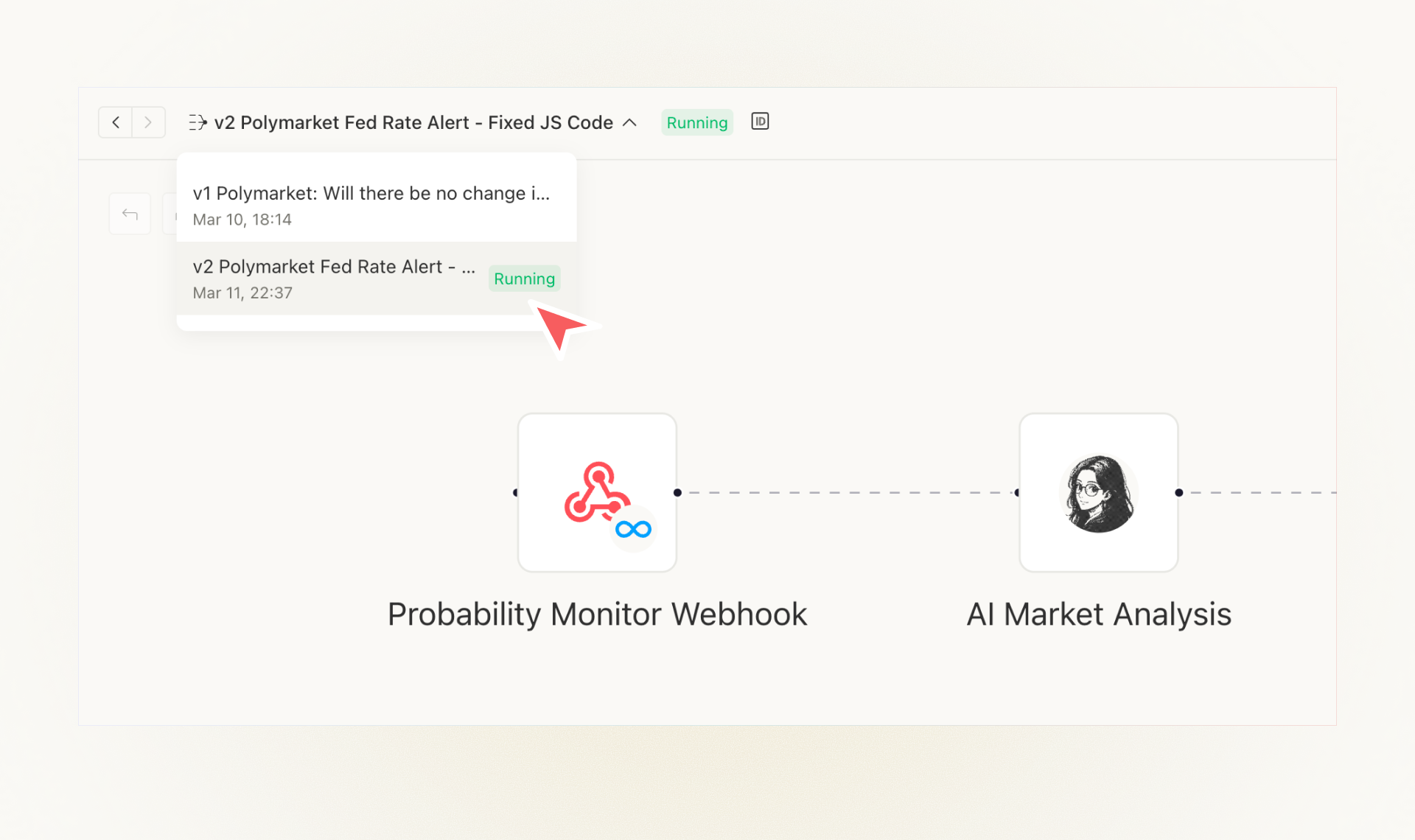
A single workflow can now have multiple versions, and AI-driven changes can generate a new version instead of overwriting the old one. This gives users a safer and more structured way to iterate, compare alternatives, and roll back when needed.
Observability and debuggability
Workflow 2.0 also makes workflows easier to inspect in practice. Users can open execution history to trace how a specific run moved through the workflow, see which node failed, and understand what actually happened during execution.
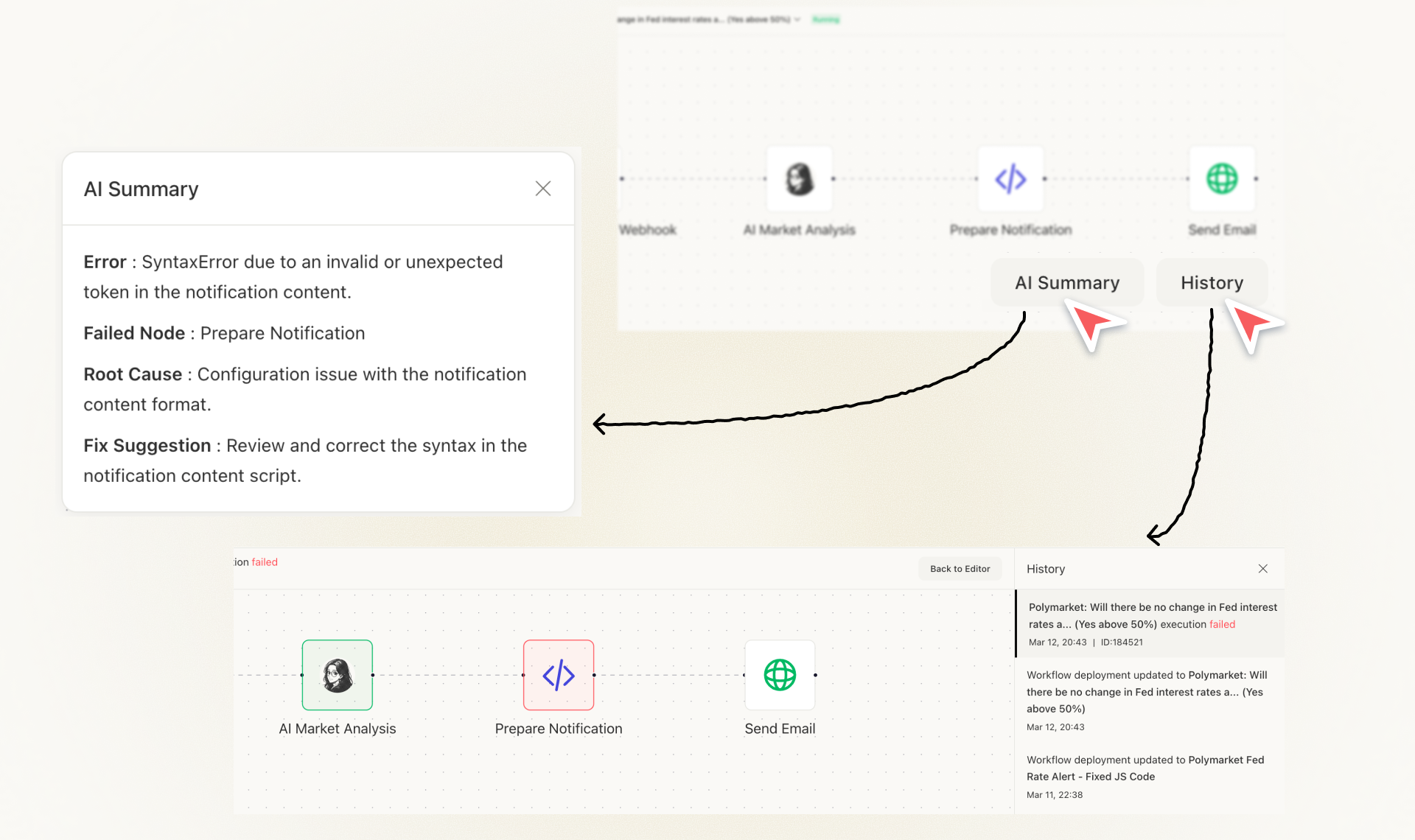
AI summaries make that process even easier. They help users quickly understand both the intended workflow logic and the outcome of a specific run, including error cases.
This shift matters because serious workflow systems are not defined by generation alone. They are defined by how well they support maintenance, debugging, and iteration over time.
Workflow 2.0 treats workflows as living systems with history and lifecycle, not disposable outputs.
Human-AI collaboration philosophy
Workflow 2.0 also reflects our broader view of human-AI collaboration.
We do not think workflow building should be fully manual or fully automatic. The better model combines direct control with AI-assisted change.
That philosophy is visible in the interface itself. The canvas is designed to stay simple, legible, and easy to work with, while still giving users room to shape workflows around their own ideas and preferences.
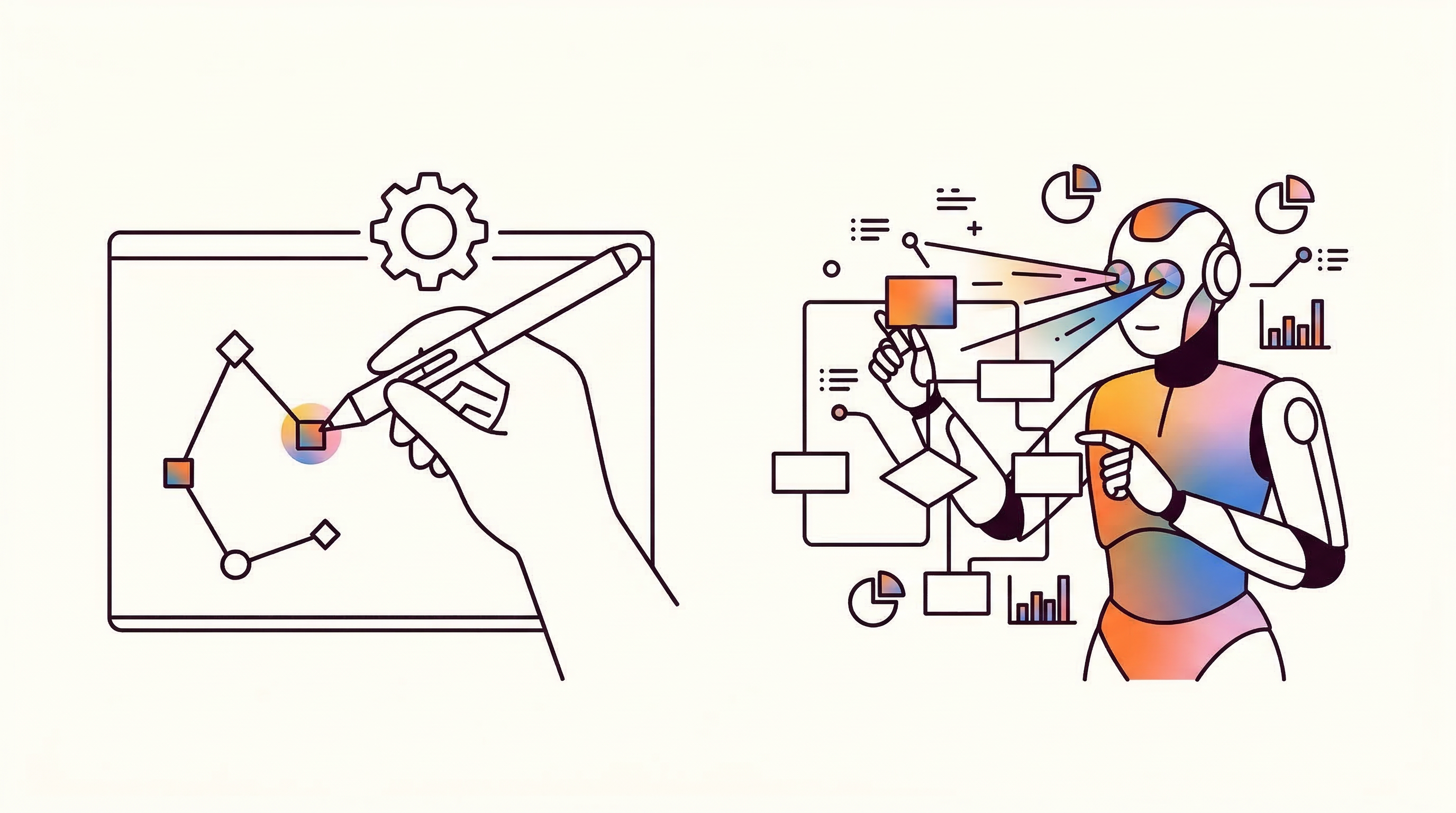
Some changes are best made directly. Adjusting a trigger, updating a parameter, or revising a notification field is often faster and clearer through manual editing.
Other changes are better handled through AI. They may involve structural updates across multiple parts of a workflow, or depend on Minara’s integrated capabilities. Those changes are often easier to describe in language than to rebuild by hand, so Workflow 2.0 lets users make them through AI and generate a new version.
In that sense, Workflow 2.0 is designed around a hybrid model: manual editing for precise local changes, and AI collaboration for broader or more complex ones.
Expanding the Workflow Surface - Polymarket
Workflow 2.0 also expands the range of digital finance tasks Minara workflows can support. In this release, we extended workflow capabilities into Polymarket, bringing support to a new class of event- and probability-driven workflows.
Users can now monitor a Polymarket wallet address and receive notifications about its trading activity, with optional AI analysis for trade quality assessment. They can also monitor outcome probabilities and trigger alerts when a market moves above or below a target threshold.
This shows how the workflow system can extend across a broader range of digital finance signals and decision flows. As workflows become more operable and easier to develop, they also become easier to apply across new platforms and new market surfaces.
We plan to keep expanding that capability surface over time, including into more of Minara’s event- and probability-driven workflow capabilities.
Templates as a Faster Starting Point
Workflow 2.0 also introduces templates to make getting started much easier.
Instead of beginning from a blank canvas, users can now choose from prebuilt workflows, fill in a few parameters, and immediately start with something runnable that they can continue to modify afterward.
These templates cover common use cases such as Polymarket Monitoring, Wallet Monitor, Copy Trade, and DCA. They are especially useful for users who want to automate something but are not sure where to start. Rather than building from scratch, users can begin with a working structure and extend it based on their own needs.
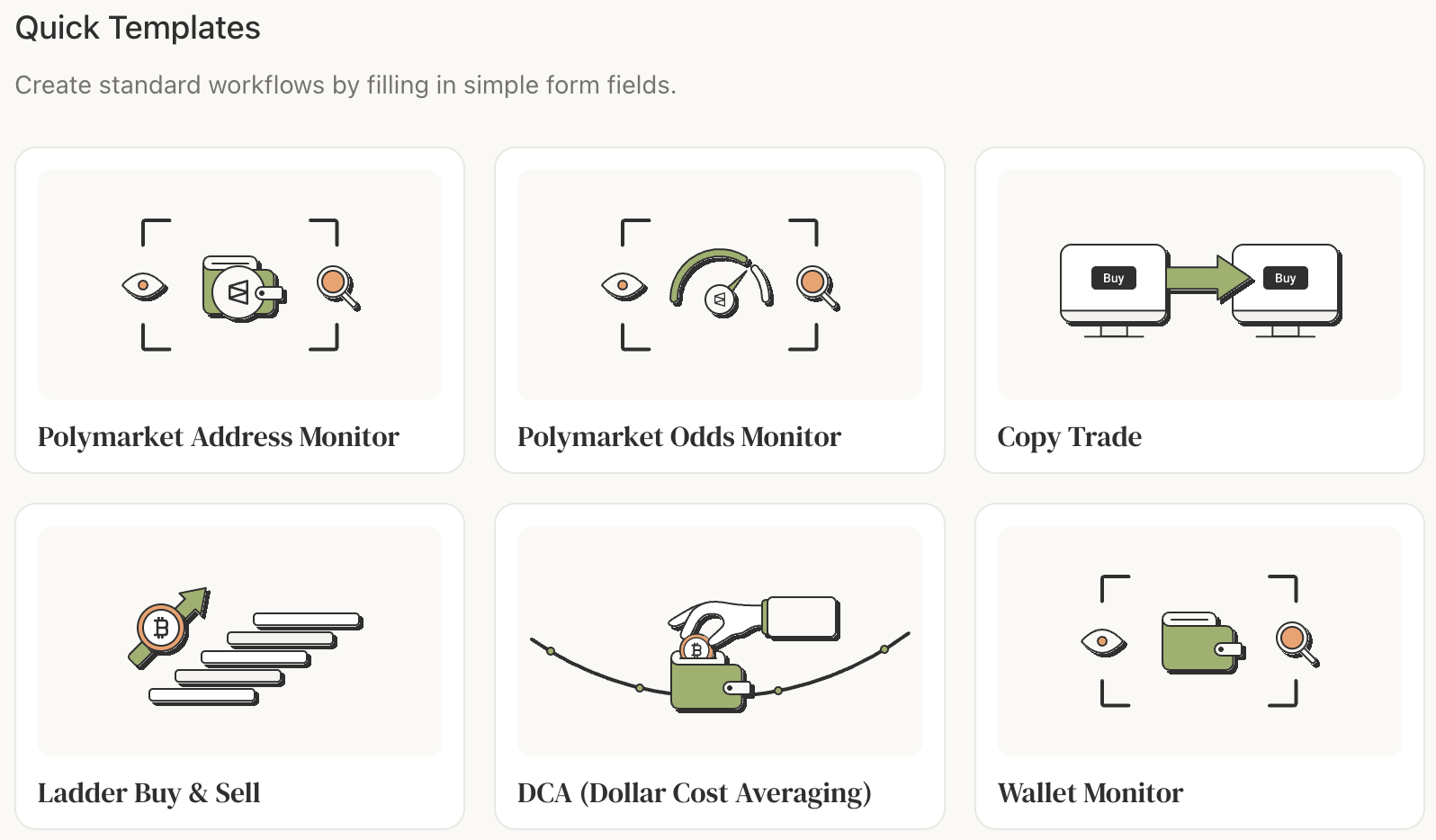
Over time, they can become shareable workflow building blocks inside the community. A well-crafted workflow that solves a specific use case can become valuable to many other users, not just the person who created it.Templates turn workflows from a blank-canvas problem into a much faster path to action.
What Workflow 2.0 Represents
For Minara, Workflow 2.0 is a clearer expression of how digital finance workflows should be built. Not as one-time automations, but as systems that users can inspect, refine, and operate over time.
It brings together local editing, AI copilot collaboration, automated triggers, and a stronger lifecycle around versioning, execution history, and debugging. The result is a much tighter loop from idea to workflow change to ongoing execution.
Minara has always been built around closing the loop between analysis, decision, and execution. Workflow 2.0 extends that loop into something more transparent, more controllable, and more practical for real use. It moves workflows closer to what they need to be in digital finance: not disposable outputs, but living systems users can continue to build on and rely on.
Workflow 2.0 is one more step toward making Minara agents more operable and dependable in digital finance.
Get started
- App: https://minara.ai
- X: https://x.com/minara
- Community (Discord): https://discord.com/invite/minaraai
Read More
We Found 21 Money-Makers After Backtesting 236 TradingView Strategies
Over the past three months, our team built a pipeline that collects public PineScript strategies, rebuilds each one in our
Minara Skill v2: The Missing Finance Stack in the Agentic Web
The Moment OpenClaw Changed Everything By now, you’ve probably seen OpenClaw or ClawdBot in the wild. OpenClaw shifts agents
Minara Personalization: An Explainable, Context-Aware AI Personalization Layer
Over the past months, a clear pattern kept coming up in user feedback: Users didn’t just want better answers.